KÉZIKÖNYV
Felhasználói Kézikönyv
Pénztárcák és Tranzakciók / Pénztárak kezelése
Pénztárak kezelése
Pénztárak
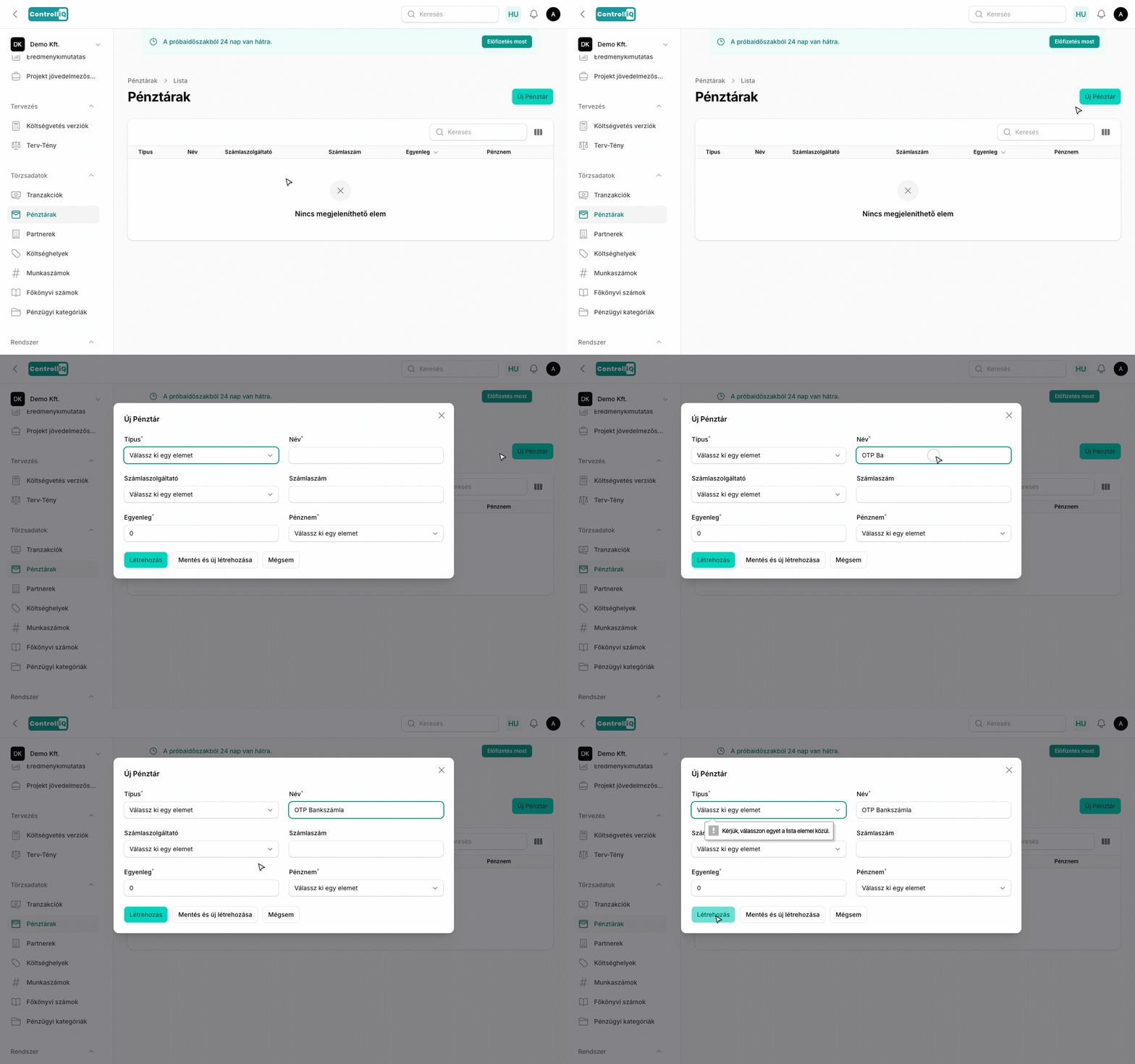
A Törzsadatok > Pénztárak menüpontban kezelheted a cég bankszámláit és pénztárait.
Pénztár létrehozása
1
Navigálj a Pénztárak menüpontra.
2
Kattints az Új Pénztár gombra.
3
Válaszd ki a típust (bankszámla, készpénz stb.).
4
Add meg a pénztár nevét, pénznemét és opcionálisan a bankszámlaszámot.
5
Válaszd ki a számlaszolgáltatót (bank) — ez határozza meg, hogy a tranzakciók rögzítésekor a csoportos utalási fájl milyen banki formátumban töltődik le.
6
Kattints a Létrehozás gombra.
Szolgáltató beállítás
A kiválasztott bank szolgáltató a csoportos utalási fájl formátumáért felel. Amikor a számlák kifizetésénél ezt a pénztárat választod, a rendszer az itt beállított bank formátumában generálja a banki utalási fájlt, amelyet közvetlenül a netbankba importálhatsz.
Egyenlegek forintban
A pénztárcák egyenlege mindig forintban van nyilvántartva. A devizás kifizetések az alkalmazott árfolyamon számított forintértékükkel mozgatják az egyenleget, így minden pénztárca és a teljes egyenleg közvetlenül összehasonlítható marad.