KÉZIKÖNYV
Felhasználói Kézikönyv
Egyéb Pénzügyi Tételek / Fizetés rögzítése
Fizetés rögzítése
Fizetés rögzítése pénzügyi tételekhez
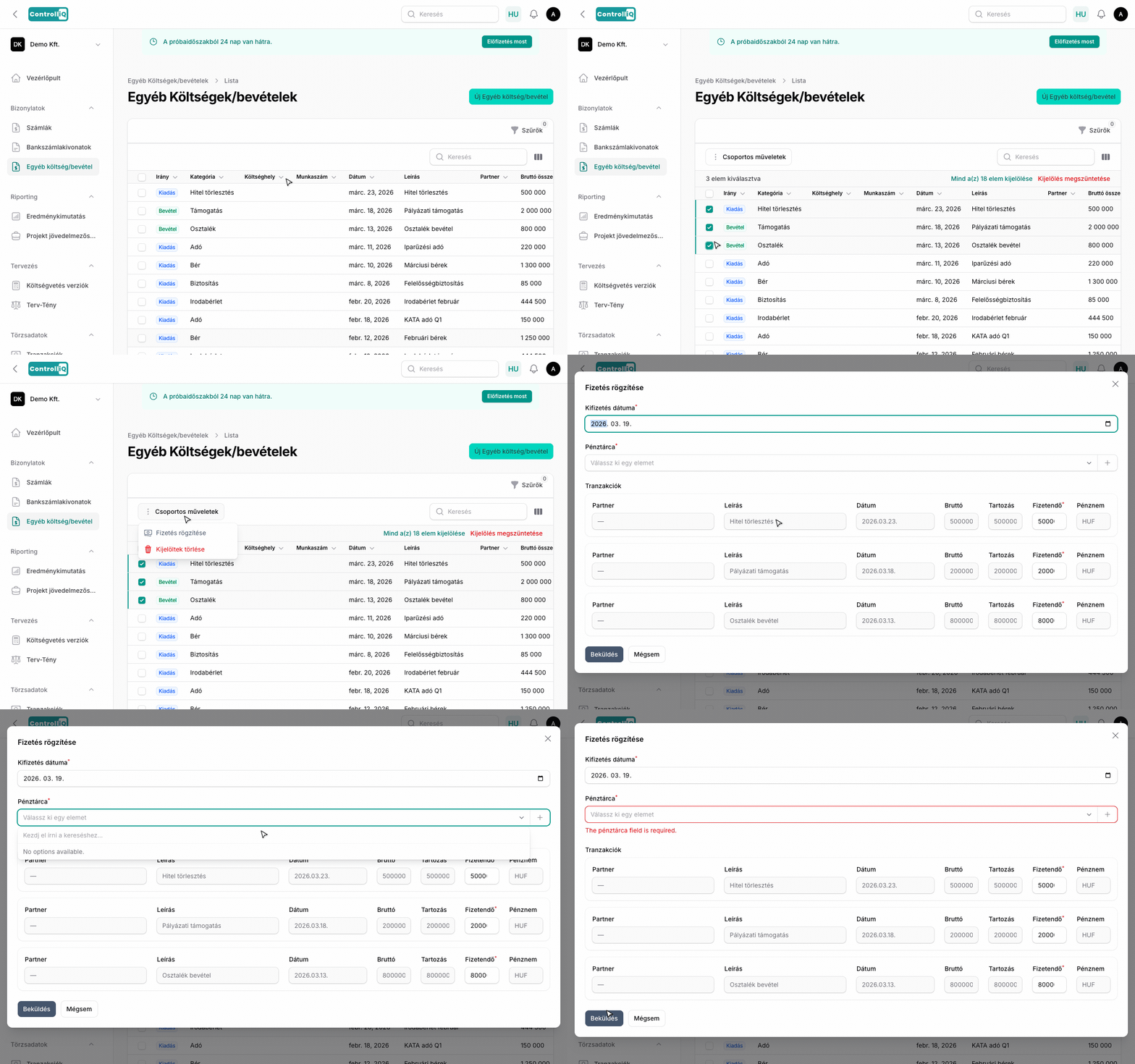
A pénzügyi tételek kifizetését közvetlenül a pénzügyi tételek listájából rögzítheted a csoportos művelet „Fizetés rögzítése" opcióval.
Hogyan működik?
1
A pénzügyi tételek listájában jelöld ki az egy vagy több kifizetendő tételt.
2
A csoportos műveletek közül válaszd a Fizetés rögzítése lehetőséget.
3
A megjelenő ablakban beállíthatod:
- Kifizetés dátuma — Alapértelmezetten a mai nap.
- Pénztárca — Melyik pénztárból történik a kifizetés.
4
Kifizetés dátuma — Alapértelmezetten a mai nap.
5
Pénztárca — Melyik pénztárból történik a kifizetés.
6
Egy repeater mutatja a kijelölt tételeket módosítható összegekkel — részleges kifizetés esetén módosíthatod az összegeket.
7
Kattints a Beküldés gombra a kifizetések rögzítéséhez.
Fizetési állapot
A kifizetések rögzítése után a listában a fizetési állapot oszlop automatikusan frissül, és mutatja, hogy a tétel teljesen ki van-e fizetve, részlegesen vagy még nincs kifizetve.