KÉZIKÖNYV
Felhasználói Kézikönyv
Kredit Rendszer / Kredit vásárlás
Kredit vásárlás
Egyedi kredit csomagok
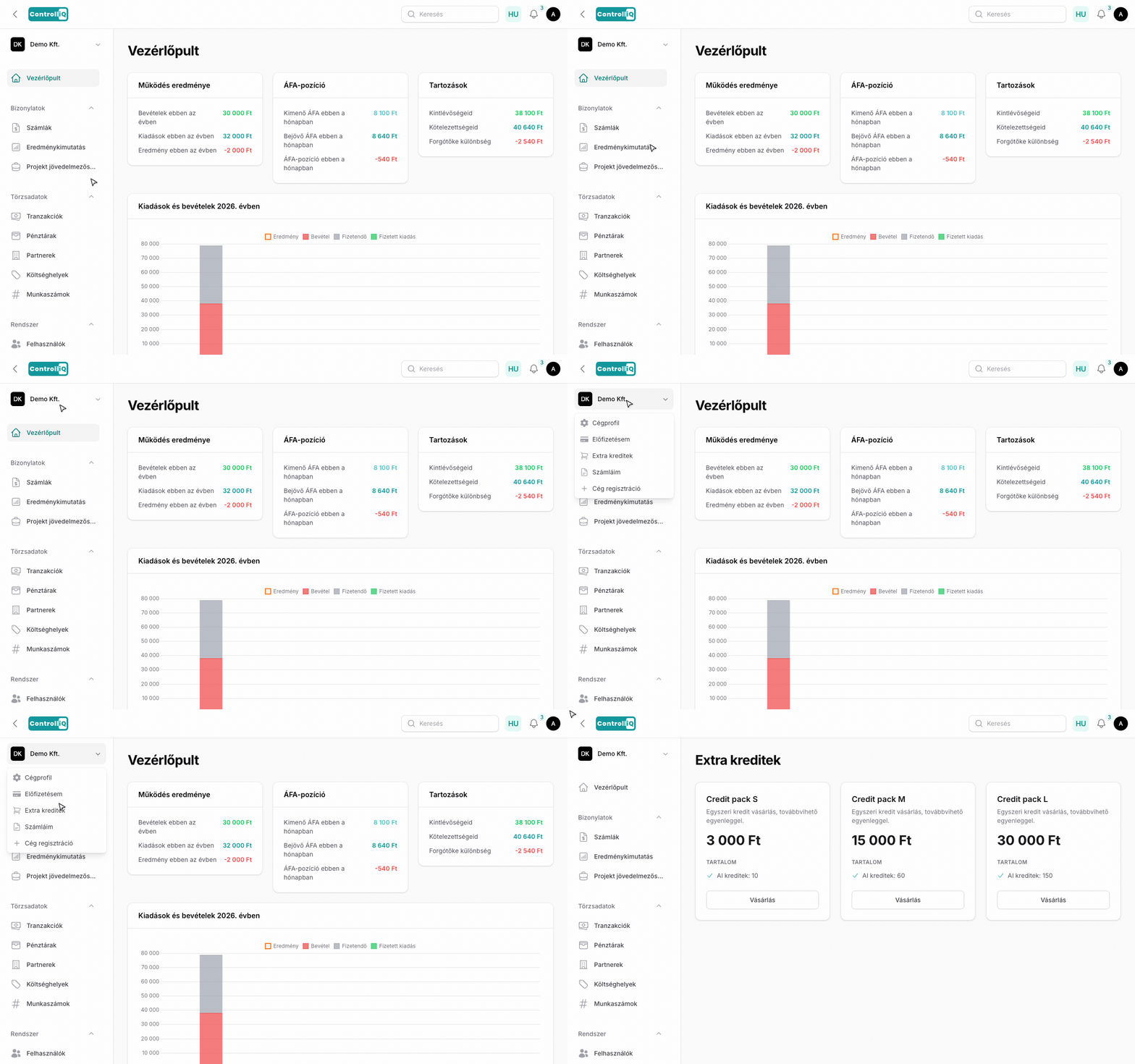
Ha a havi kereted elfogy, vásárolhatsz egyedi kredit csomagokat, amelyek nem járnak le.
Vásárlás lépései
1
Kattints a bal oldali menüben a céged nevére.
2
Válaszd az Extra kreditek menüpontot.
3
A csúszkán válaszd ki, mennyi kreditet szeretnél (50 és 1000 között).
4
Kattints a Vásárlás gombra.
5
A fizetés a Stripe-on keresztül, bankkártyával történik.
6
A kreditek azonnal jóváíródnak a fiókodon.
Sávos árazás
Minél több kreditet veszel egyszerre, annál olcsóbb egy kredit — az egységár a mennyiségtől függően csökken. Az aktuális egységárat és a végösszeget a csúszka alatt mindig pontosan látod, még a vásárlás előtt.