KÉZIKÖNYV
Felhasználói Kézikönyv
Beállítások / Cégprofil szerkesztés
Cégprofil szerkesztés
Cég beállításai
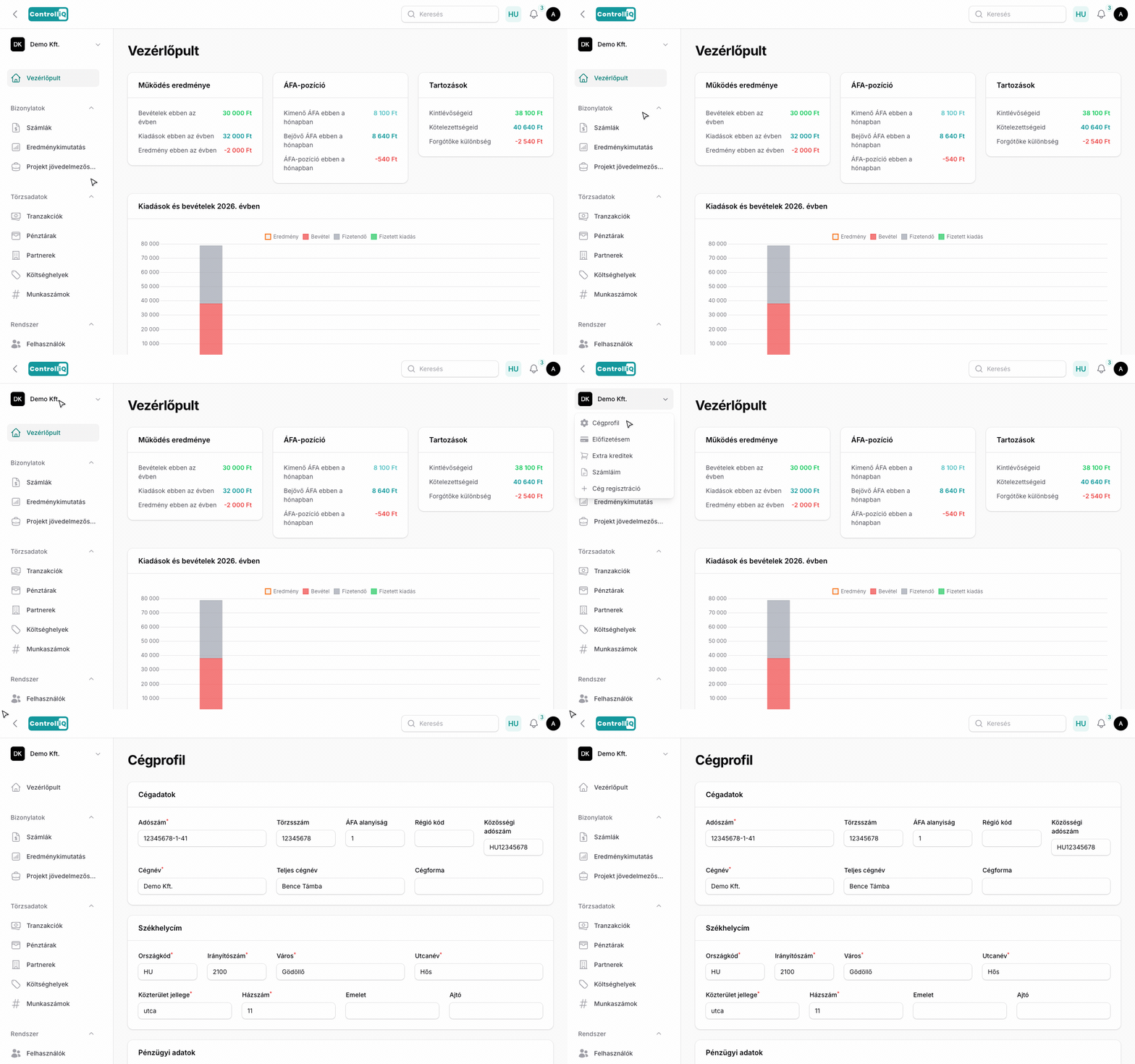
A cég adatait és beállításait a bal oldali menüben a céged nevére kattintva megjelenő legördülő menüből a Cégprofil menüpontra kattintva érheted el.
Cégadatok
•Adószám — A cég adószáma (formázott maszk).
•Törzsszám — Automatikusan kitöltött, nem szerkeszthető.
•ÁFA alanyiság — Automatikusan kitöltött, nem szerkeszthető.
•Régió kód — Automatikusan kitöltött, nem szerkeszthető.
•Közösségi adószám
•Cégnév
•Teljes cégnév
•Cégforma — Automatikusan kitöltött, nem szerkeszthető.
Székhely
•Országkód, Irányítószám, Város
•Utcanév, Közterület jellege, Házszám
•Emelet, Ajtó
Pénzügyi adatok
•Bankszámlaszám
•Számlázási e-mail
•Rendszer e-mail — Az email importhoz használt cím, nem szerkeszthető, de másolható.
Megjegyzés: A NAV, Billingo és Számlázz.hu integrációs beállítások az Integrációk menüponton keresztül érhetők el (a bal oldali menüben a cégnévre kattintva).
Cég törlése
Az oldal alján található a Cég törlése lehetőség. A törlés végleges és visszafordíthatatlan — a megerősítéshez be kell gépelned a cég nevét.