KÉZIKÖNYV
Felhasználói Kézikönyv
Egyéb Pénzügyi Tételek / Pénzügyi tétel létrehozása
Pénzügyi tétel létrehozása
Pénzügyi tétel létrehozása
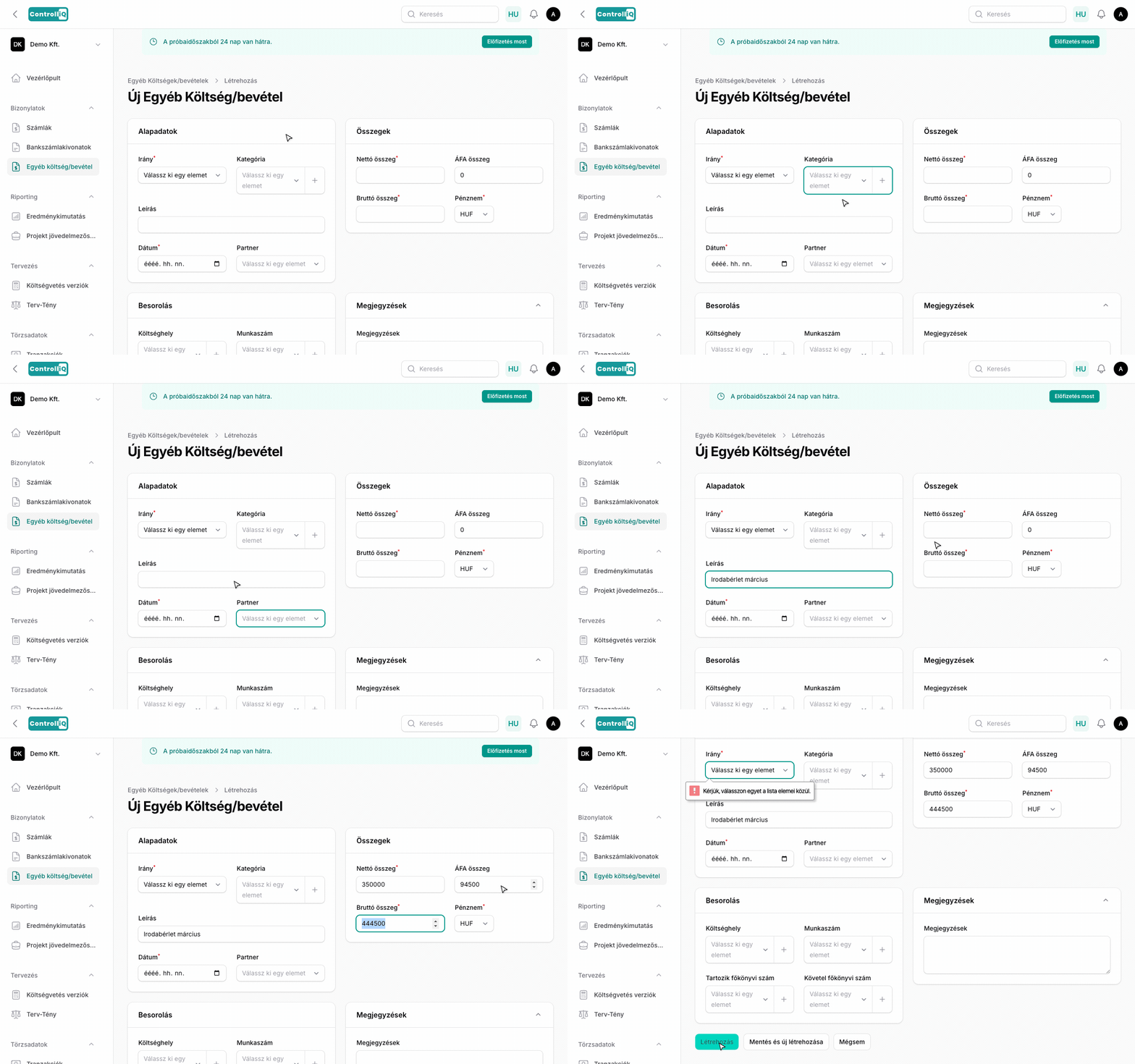
Új tétel létrehozásához kattints az Új Egyéb költség/bevétel gombra a lista oldalon.
Alapadatok
•Irány — Válaszd ki: Bevétel vagy Kiadás.
•Kategória — Válassz meglévő kategóriát vagy hozz létre újat közvetlenül a legördülőből.
•Leírás — Adj meg egy rövid leírást.
•Tétel dátuma — A pénzügyi tétel dátuma.
•Partner — Opcionálisan rendelj hozzá partnert.
Összegek
•Bruttó összeg — A teljes bruttó összeg.
•Nettó összeg — A nettó összeg.
•ÁFA összeg — Az ÁFA összeg.
•Pénznem — Válaszd ki a pénznemet. Nem HUF pénznem esetén az árfolyam automatikusan betöltődik.
Besorolás
•Költséghely — Rendelj hozzá költséghelyet az eredménykimutatáshoz.
•Munkaszám — Rendelj hozzá munkaszámot a projekt jövedelmezőségi riporthoz.
•Tartozik főkönyvi szám — Opcionálisan adj meg főkönyvi számot a könyveléshez.
•Követel főkönyvi szám — Opcionálisan adj meg főkönyvi számot a könyveléshez.
Megjegyzések
Szabad szöveges mező bármilyen további megjegyzéshez a tétellel kapcsolatban.