KÉZIKÖNYV
Felhasználói Kézikönyv
Beállítások / Felhasználók meghívása
Felhasználók meghívása
Csapattagok meghívása
A céghez további felhasználókat hívhatsz meg, akik hozzáférhetnek a cég adataihoz.
Meghívás lépései
1
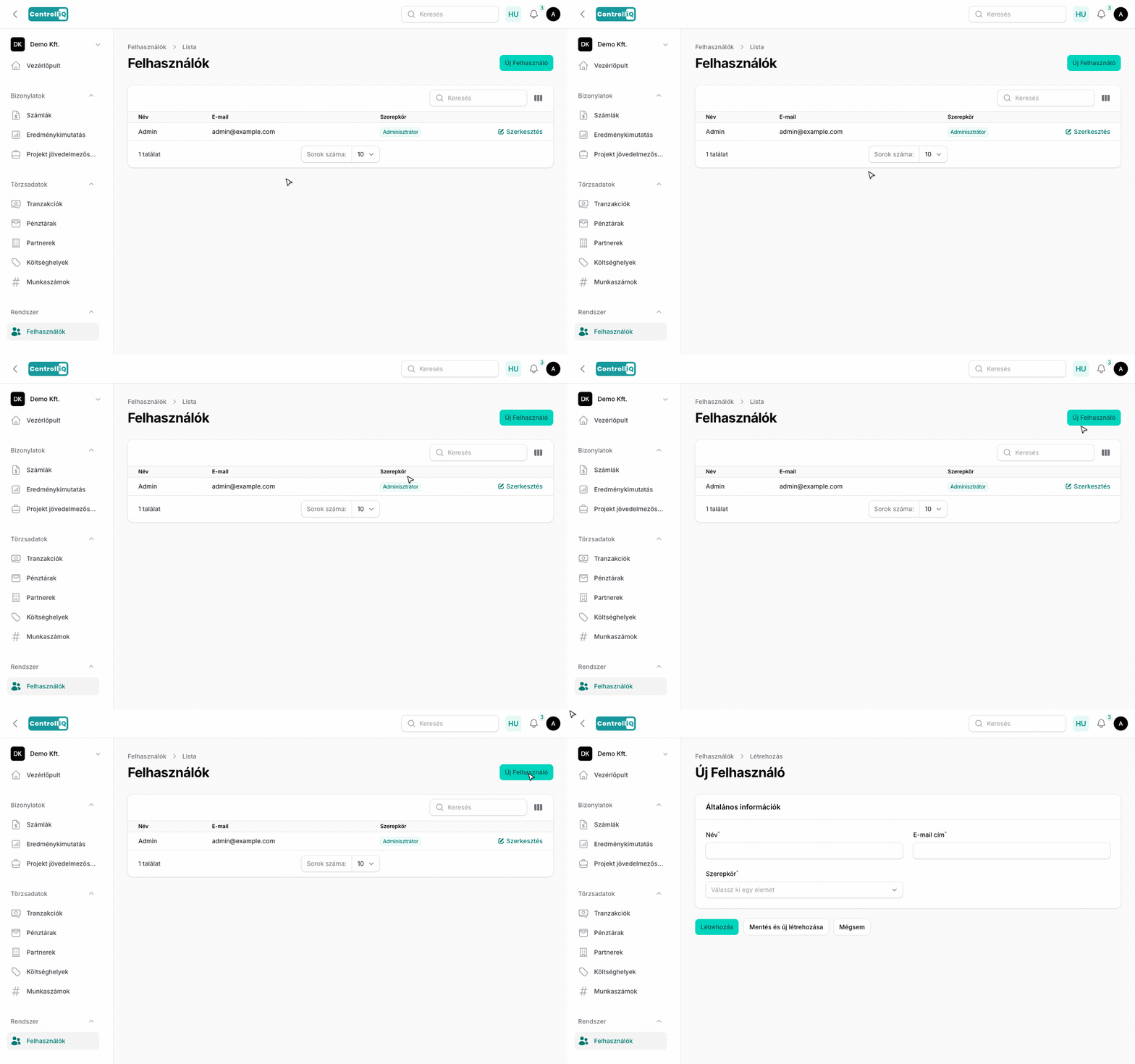
A bal oldali menüben a Rendszer csoporton belül kattints a Felhasználók menüpontra.
2
Kattints a Felhasználó létrehozása gombra.
3
Add meg a felhasználó nevét és e-mail címét.
4
Állítsd be a kívánt szerepkört.
5
A meghívott személy emailben kap egy regisztrációs linket, ahol megadhatja a jelszavát.
Amint a felhasználó létrehozta a fiókját, azonnal hozzáfér a cég adataihoz.
Szerepkörök
Három szerepkör áll rendelkezésre, eltérő jogosultságokkal:
•Adminisztrátor — Teljes hozzáférés minden funkcióhoz, beleértve a cég beállításait, előfizetés kezelését, felhasználók meghívását és törlését.
•Könyvelő — Hozzáférés az összes számlához, partnerhez, tranzakcióhoz, pénztárhoz, költséghelyhez, munkaszámhoz és bankkivonathoz. Szerkesztheti a cég beállításait, de nem kezelheti az előfizetést és nem hívhat meg felhasználókat.
•Asszisztens — Korlátozott hozzáférés: megtekintheti és létrehozhatja a számlákat, megtekintheti a partnereket, tranzakciókat és pénztárakat, de nem törölhet és nem módosíthat cégbeállításokat.